4 Results
-
 Code Championship Tournament Series | Virtual Computer Coding CompetitionScience & TechnologyBuild a computer bot to compete against other coders! Whether you're new or experienced, this is the perfect way to explore competitive coding. No previous coding experience is necessary. The Code Championship Series is four online tournaments hosted on Google Meet. If you have a modern browser, no download is required. Players must be able to navigate the internet. The Google Meet link will be emailed two days before the tournament. For grades 3-9. Code Championship Staff 4 Saturdays, Oct 24, Oct 31, Nov 7, Nov 14 9:00-11:00am Virtual Google Meet Program Prerequisites: Students must be able to use a keyboard and mouse to operate a computer, follow two-step directions, and verbally communicate with adults and peers.2026 Fall
 -
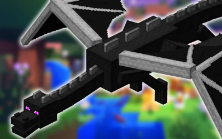 Minecraft Coding: Ride the Ender DragonScience & TechnologyLearn to code and summon the Ender Dragon! No coding experience needed; Minecraft experience helps. Minecraft is a Mojang Studios trademark and not affiliated with this camp. If you do not receive your Zoom link at least 5 days before class, please email virtual@techacademycamps.com. Virtual Camp Format: Our virtual camps offer engaging, interactive instruction in a collaborative learning environment. Each session includes access to our online classroom, which provides either recorded lessons or a detailed curriculum guide covering every step from class, plus instructions for project extensions. To protect student privacy, we do not share recordings of the live classes themselves; instead, we provide follow-along recordings that review the instructions and activities. Platform: All classes are held on Zoom. Home Technical Requirements For All Classes: Computer: PC (Windows 10 or later) or Mac (OSX) with at least a 2GHz processor and 4GB of RAM Chromebooks, tablets, and phones DO NOT work. Internet: Broadband internet Webcam, Microphone, and Speakers Zoom Installed on Computer, zoom link will be sent before class. Minecraft Java Edition ($30; more information will be provided before class) Students should be comfortable using a PC, mouse, and keyboard. Program Prerequisites: Students must be able to use a keyboard and mouse to operate a computer, follow two-step directions, and verbally communicate with adults and peers2026 Fall
 -
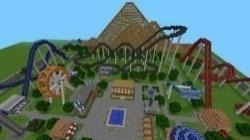 Starting SoonMultiplayer Minecraft: Theme Park BuilderScience & TechnologyTeam up to build a custom theme park in Minecraft using Creative and Redstone! Create roller coasters, water rides, a trampoline park, obstacle courses, bumper boats, and more. Students take home the world map to keep expanding. Minecraft is a Mojang Studios trademark and not affiliated with this camp. If you do not receive your Zoom link at least 5 days before class, please email virtual@techacademycamps.com. Virtual Camp Format: Our virtual camps offer engaging, interactive instruction in a collaborative learning environment. Each session includes access to our online classroom, which provides either recorded lessons or a detailed curriculum guide covering every step from class, plus instructions for project extensions. To protect student privacy, we do not share recordings of the live classes themselves; instead, we provide follow-along recordings that review the instructions and activities. Platform: All classes are held on Zoom. Home Technical Requirements For All Classes: Computer: PC (Windows 10 or later) or Mac (OSX) with at least a 2GHz processor and 4GB of RAM Chromebooks, tablets, and phones DO NOT work. Internet: Broadband internet Webcam, Microphone, and Speakers Minecraft Java Edition ($30; more information will be provided before class) Zoom Installed on Computer, zoom link will be sent before class. Students should be comfortable using a PC, mouse, and keyboard. Program Prerequisites: Students must be able to use a keyboard and mouse to operate a computer, follow two-step directions, and verbally communicate with adults and peers2026 Fall
 -
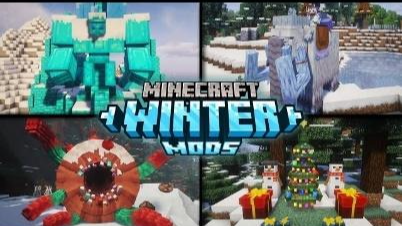 NEW! Minecraft Builders: Winter Challenge —> something to do during Winter Break!Science & TechnologyBuild an epic winter castle in Minecraft! Construct ice fortresses, snowy towers, frozen moats, and magical winter landscapes on a shared server. Then gear up for an all-out snowball fight - collect snowballs, build snow golems, and battle classmates! PC/Java edition required. Minecraft is a Mojang Studios trademark and not affiliated with this camp. If you do not receive your Zoom link at least 5 days before class, please email virtual@techacademycamps.com. Home Technical Requirements: Computer: PC (Windows 10 or later) or Mac (OSX) with at least a 2GHz processor and 4GB of RAM Chromebooks, Tablets, and phones DO NOT Work. Internet: Broadband internet Webcam, Microphone and Speakers Zoom Installed on computer; Zoom link will be sent before class. Students should be comfortable using a PC, mouse, and keyboard. Additional Technical Requirements: Minecraft Java Edition ($30; more information will be provided before class) For grades 1-6 Program Prerequisites: Students must be able to use a keyboard and mouse to operate a computer, follow two-step directions, and verbally communicate with adults and peers2026 Fall